Product · macOS
FINDmsg
Mac app for searching Messages and email. AND / OR, date, and contact filters. Export to print or PDF. Local-first — messages stay on your Mac.
10 free searches, then $20 unlimited / lifetime · 1 Mac.
Example search
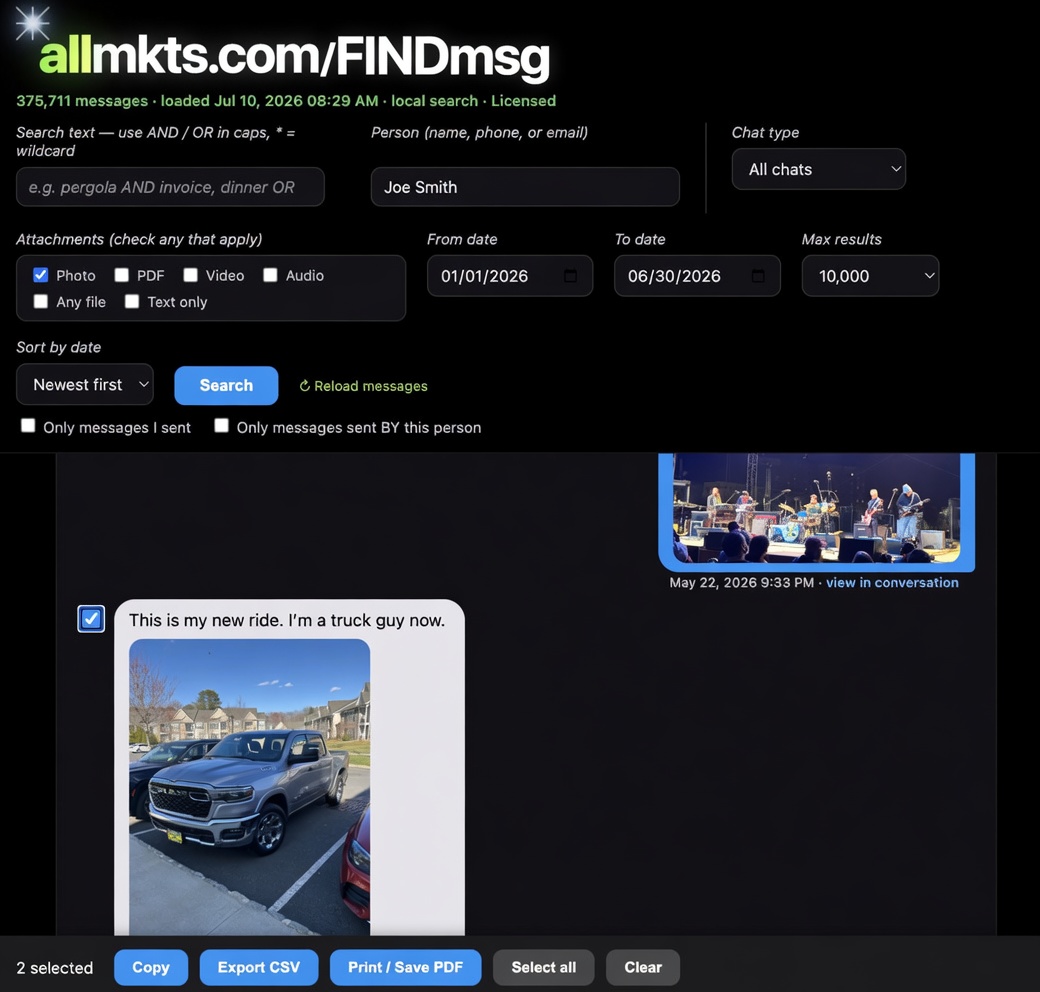
Contact · date · photos · Copy / CSV / Print / PDF
Install (about 1 minute)
- Open the DMG.
- Double-click Install FINDmsg.
Turn on PYTHON in Full Disk Access
System Settings → Privacy & Security → Full Disk Access. Toggle PYTHON on. macOS lists the helper as PYTHON.